What is PAdES?
What Are the Key Features of PAdES?
-
Native PDF Signature Format
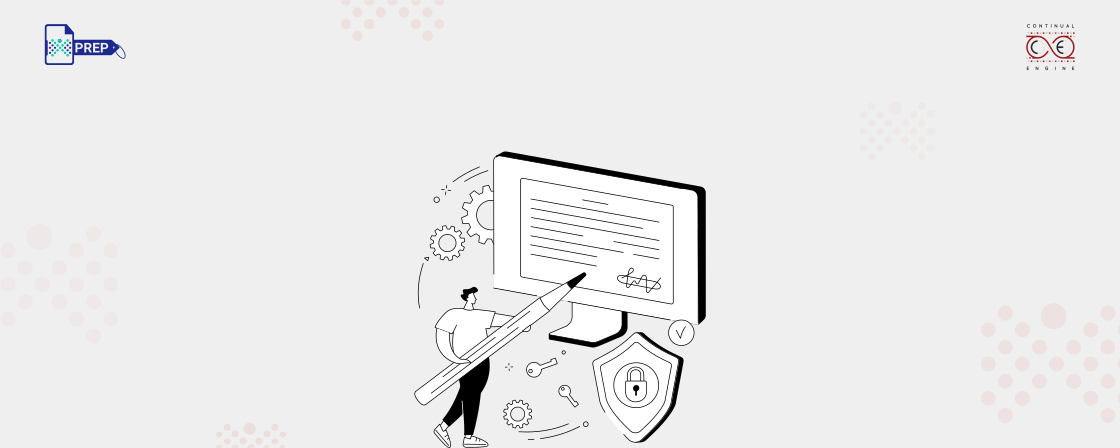
Unlike general-purpose digital signatures, PAdES is built specifically for the PDF format. This means it integrates smoothly with how PDFs are structured, embedding the PDF signature directly into the document. That embedded signature stays with the file no matter where it's sent, making it tamper-evident and traceable.
-
Legally Binding Assurance and Compliance
PAdES isn't just technically sound, it's legally smart too. In the European Union, it complies with the electronic Identification, Authentication and Trust Services (eIDAS) regulation, which sets the legal groundwork for trusted electronically signed document standards. This makes these signatures legally admissible in courts and official documentation processes.
-
Advanced Security Features
Beyond just placing a digital mark, it verifies the identity of the signer, prevents tampering, and supports features like cryptographic validation and timestamps. This provides assurance that what you see is exactly what was signed.
-
Long-Term Validity
Even if a certificate expires, the PDF signature remains valid - all thanks to embedded validation data and timestamps. This long-term focus makes it ideal for industries where records must be retained for years.
-
No Proprietary Software Required
Because this secured signature format is based on standard PDFs, you don't need specialized tools to open or verify the files. Whether you're on a desktop or mobile device, this e-signature can be easily shared and verified, making collaboration seamless.
Basic PDF Signature vs PAdES: What’s the Difference?
| Aspect | Basic PDF Signature | PAdES Signature |
|---|---|---|
| Signature Standard | Does not follow a dedicated PDF-specific signing standard. It uses general digital signature methods without strict format rules. | Built specifically for PDF documents and follows standards defined by ETSI to ensure consistent and reliable signing. |
| Certificate Validation | Certificate checks usually happen only at the time of signing. Future verification can become unreliable. | Uses advanced validation methods and stores certificate details within the document for ongoing verification. |
| Trusted Timestamp | Typically not included. This makes it harder to prove exactly when the document was signed. | Includes a trusted timestamp in higher PAdES levels, helping confirm the signing date and time accurately. |
| Revocation Information (CRL/OCSP) | Revocation data is not stored inside the file. Verification depends on external systems later. | Revocation details are embedded in the document, allowing verification even if external servers are unavailable. |
| Long-Term Verification Support | Not designed for long-term validation. Signatures may fail after certificates expire. | Supports long-term validation formats that allow documents to remain verifiable for many years. |
| Tamper Detection Strength | Can detect basic document changes but offers limited protection against complex alterations. | Uses stronger cryptographic checks to ensure document content has not been modified after signing. |
| Legal and Regulatory Acceptance | Legal acceptance may be limited depending on the region and use case. | Designed to meet regulatory frameworks such as eIDAS and is widely accepted in compliance-heavy environments. |
| Document Reliability Over Time | Verification can fail if the signing certificate expires or becomes invalid. | Remains verifiable even after certificate expiry due to embedded validation data. |
| Use in Regulated Workflows | Suitable mainly for internal approvals or low-risk document signing. | Well suited for legal documents, government filings, contracts, and compliance-driven workflows. |
| Accessibility Support (PDF/UA and WCAG) | Accessibility structure can sometimes break after signing if not handled carefully. | Can preserve accessibility standards when implemented correctly, making it safer for compliant document workflows. |
| Typical Use Cases | Internal approvals, basic form signing, informal document validation. | Legal agreements, regulatory submissions, financial documents, and official records. |
What Are the Different Types of PAdES PDF Signatures?
- PAdES-B: This is the basic level. It ensures the signature is correctly embedded in the PDF and that the document hasn’t been modified.
- PAdES-T: Adds a trusted timestamp, proving that the document existed at a specific time.
- PAdES-LT: Includes validation information such as certificates and revocation lists, ensuring that the electronic signature PDF can be validated even years later.
- PAdES-LTA: The most advanced level. It supports long-term archiving through periodic timestamping, ensuring the document’s authenticity over decades.
How Do PAdES Signatures Work?
-
Hashing
When someone signs a PDF, the software first scans the document and creates a digital fingerprint, also called a hash. This fingerprint is unique to the document’s current content, so even a small change in the file would create a different hash.
-
Encryption
This unique hash is then encrypted using the private key of the person or organization signing the document. The private key is a part of their digital identity and is only accessible to them. Encrypting the hash protects it and ties it directly to the signer.
-
Embedding the Signature
Once encrypted, this hash becomes the actual signature. The PDF file then stores this encrypted hash along with the signer’s digital certificate (which includes their public key). Many times, a trusted timestamp is also added to record the exact time of signing. All of this information is embedded inside the PDF, not just attached from outside.
-
Validating the Signature
When someone opens the PDF, their PDF reader checks the signature. It uses the public key from the digital certificate to decrypt the hash. Then, it runs the same hashing process on the current content of the document. If the two hashes match, it means the document hasn’t been changed and the signature is valid.
How to Create and Edit a PAdES File Using PREP
Step 1: Enable Draw Mode
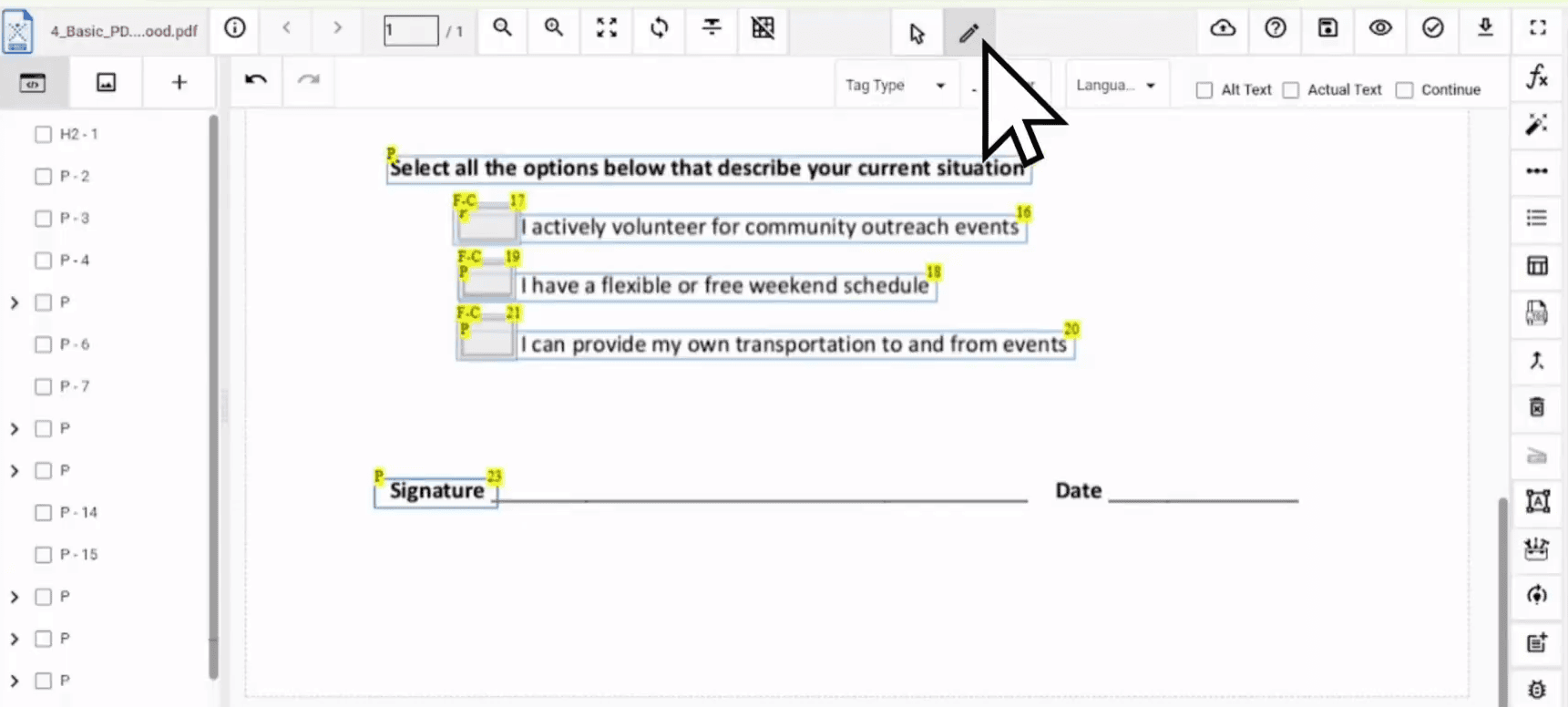
Step 2: Access Form Creation Tools

Step 3: Select and Draw the Signature Field
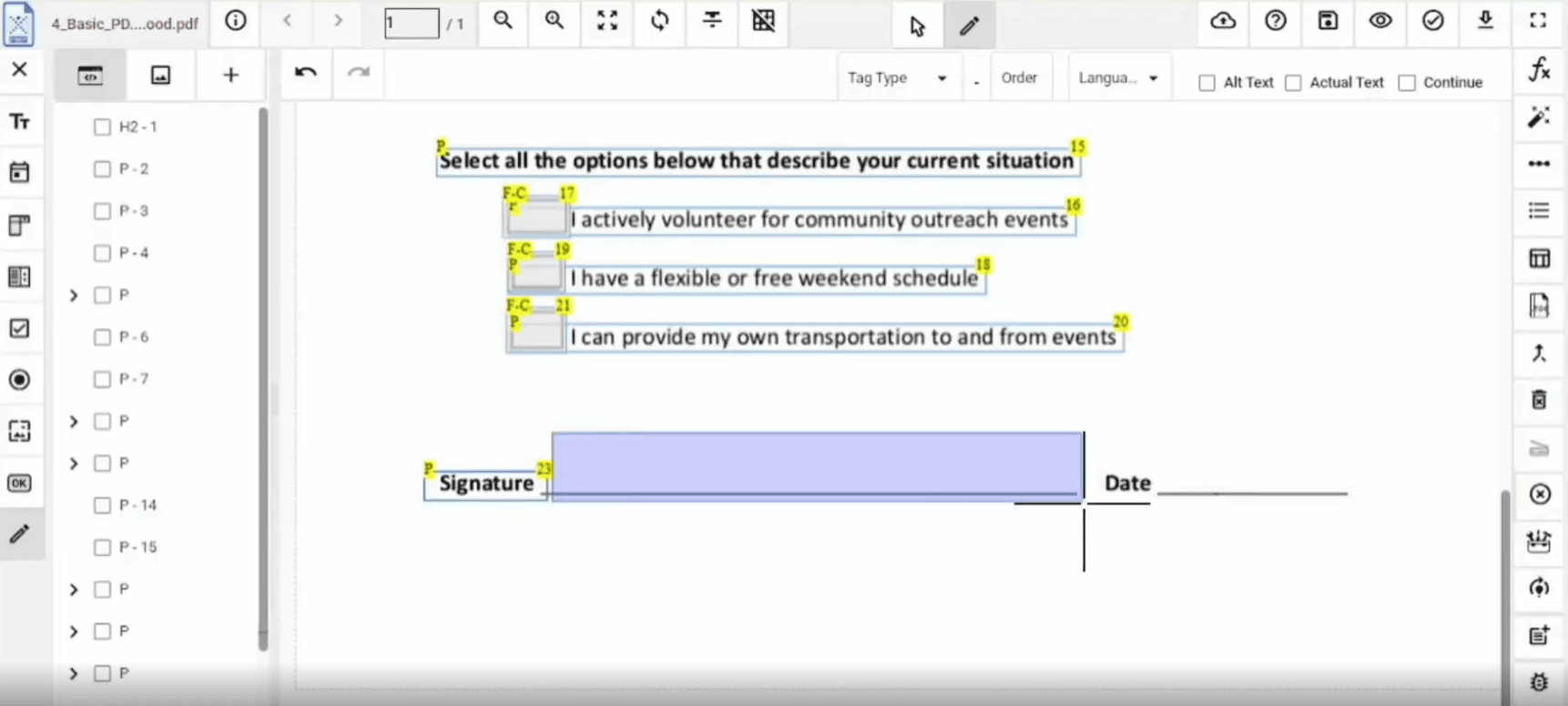
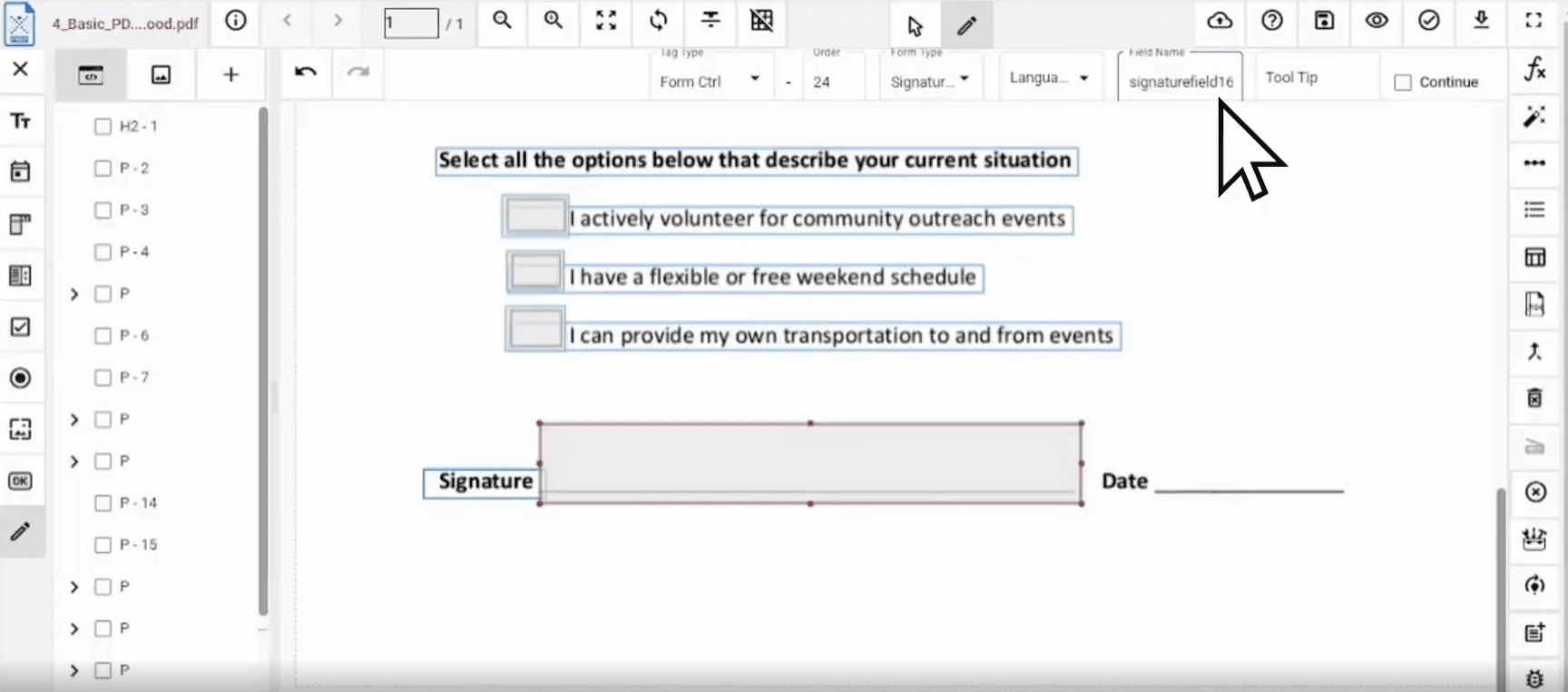
Step 4: Add Field Name and Tooltip
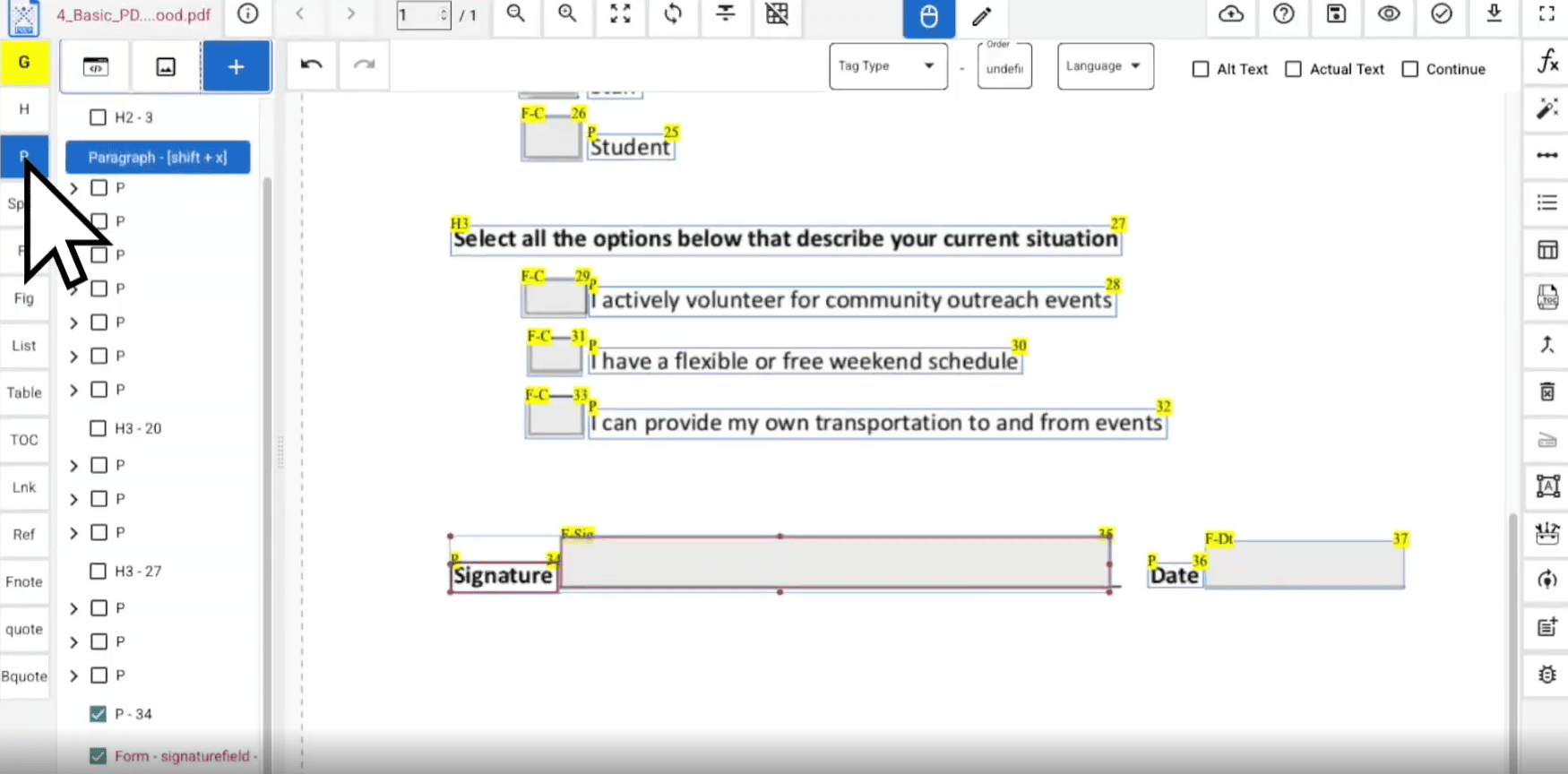
Step 5: Group Tags for Reading Order
What are PAdES Files Used For?
- Identity Verification: Verify the signer’s identity, reducing the risk of impersonation or fraud.
- Document Workflow: Simplify approvals, contracts, and data processing in remote or hybrid teams.
- Fraud Prevention: With built-in encryption and tamper-evidence, it drastically reduces the potential for forged documents.
Which Industries Use PAdES?
- Financial Services and Insurance: Used for signing loan agreements, policy documents, and compliance forms, ensuring data integrity and reducing fraud.
- Legal Services: Vital for contracts, affidavits, and other official legal paperwork, giving them audit-ready credibility.
- Government: Enables secure handling of records, citizen data, and interdepartmental communication, while staying compliant with digital regulations.
- Healthcare: Manages patient records, lab reports, and prescriptions with accuracy and HIPAA-compliant digital assurance.
- Real Estate: Used to make contracts, leases, and title documents legally secure and verifiable for years.
- Other Industries: From architecture to IT and cybersecurity, PAdES enhances any workflow that relies on trustworthy digital documentation.
Make Your PDFs Compliant and Accessible
Frequently Asked Questions (FAQs)
-
Is PAdES legally valid?
Yes, PAdES is legally valid under the eIDAS regulation in the EU and is widely accepted for secure digital signatures in many countries.
-
What is the difference between PAdES and basic PDF signatures?
PAdES includes advanced features like long-term validation, timestamping, and certificate embedding, which basic PDF signatures do not always provide.
-
Do PAdES signatures expire?
A properly configured PAdES-LT or PAdES-LTA signature can remain verifiable long after the signing certificate expires.
-
Are PAdES-signed PDFs accessible?
Not automatically. PAdES focuses on signature security, so additional steps like tagging and remediation are needed to ensure accessibility.