Why Inter-Format Document Conversion Matters More Than You Think?

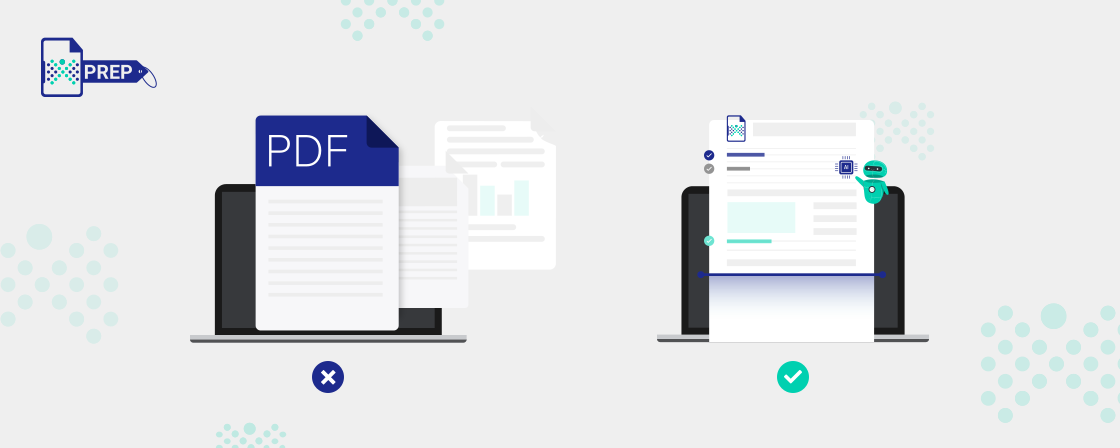
Graphical picture of The Importance Of Inter-Format Document Conversions
Have you ever tried opening a file, only to find that it doesn’t work on your device or messes up the formatting completely? It’s frustrating, especially when you’re on a deadline. That’s where inter-format document conversion comes in. In this post, we’ll walk through why this process matters and how the right approach can save time, protect your data, and improve collaboration across tools and teams.

What is Inter-Format Document Conversion?

Inter-format document conversions refer to the process of transforming documents from one format to another. In a world where documents come in diverse formats such as PDF, Word, Excel, and more, these conversions bridge the gap between incompatibilities. Whether converting a Word document into a PDF or vice versa, the goal remains to make content accessible and usable across different platforms and devices.
Document formats vary widely, each with its unique characteristics and purposes. PDFs are renowned for their fixed layout, making them ideal for preserving document integrity. Word documents offer editing flexibility, while Excel specializes in handling data. However, these distinctions can lead to compatibility issues when sharing documents across different software and devices. Therefore, the need for inter-format conversions becomes apparent.

The Importance of Inter-Format Document Conversions

Here’s a quick look at why inter-format document conversions matter in everyday work and communication.
  1. Enhanced Accessibility

    Accessibility is at the core of inter-format document conversions. Converting documents into various formats ensures they are accessible to a wide range of users, regardless of their devices or impairments. This inclusivity is a moral imperative, vital for complying with accessibility regulations and reaching a broader audience.

    Consider the scenario where a visually impaired individual requires a document in an accessible format with screen reader compatibility. Without conversions, meeting this need would be an uphill task.

  2. Compatibility Across Platforms

    Inter-format conversions eliminate the barriers posed by format incompatibility. Imagine a scenario where a marketing team creates a visually appealing presentation in PowerPoint (PPTX), but the client prefers the content in PDF. Converting the document seamlessly ensures the client can access the content without hiccups. In business, compatibility is key to efficient communication and collaboration. Inter-format document conversions bridge gaps and facilitate smooth interactions.

  3. Preservation of Content

    Maintaining the integrity of your documents during conversions is paramount. When you convert a document from one format to another, you want to ensure that the content, formatting, and structure remain intact. This is particularly crucial when dealing with complex documents, such as financial reports or legal contracts.

    Preserving content integrity through inter-format conversions saves valuable time and reduces the risk of errors that can occur during manual reformatting.

  4. Improved Collaboration

    Efficient collaboration is the backbone of successful organizations. Inter-format document conversions facilitate teamwork by allowing team members to work with their preferred tools and formats. Consider a research project involving multiple contributors who use different software. Converting documents to a common format ensures that everyone can access, edit, and contribute seamlessly.

    The ability to collaborate effectively without format-related bottlenecks significantly enhances productivity and innovation.

  5. Time and Cost Savings

    Time is money, and inter-format document conversions save both. Manual reformatting can be tedious and time-consuming, especially when handling large volumes of documents. The automated nature of conversions accelerates the process and reduces the risk of human errors.

    Moreover, the cost savings are substantial. Organizations can allocate resources more efficiently by automating conversions and redirecting human resources to more strategic tasks.

  6. Compliance and Security

    Data security has become non-negotiable in today’s digital landscape. Inter-format document conversions must prioritize data security, ensuring that sensitive information remains confidential throughout the process. Continual Engine employs encryption and other robust security measures to safeguard your data during conversions, meeting industry standards and compliance requirements.

    Various industries now have stringent regulations governing document accessibility and data protection. Failure to comply with the required standards can result in legal consequences and reputational damage. Inter-format document conversions are crucial in meeting compliance standards such as Section 508, WCAG 2.2, PDF/UA, ADA, and RPwD Act.

    For example, educational institutions must ensure that course materials are accessible to all students, including those with disabilities. Conversions make it possible to meet these obligations seamlessly.

Examples of Common Inter-Format Document Conversions

Whether you’re working on reports, sharing media, or updating your website, file conversions are part of everyday digital tasks. Here’s a quick look at the most common format conversions and why people use them.
  1. Word to PDF (and vice versa)

    This is one of the most frequent conversions. Word files are great for editing, while PDFs are better for sharing or printing. If you want to keep the formatting locked in, save it as a PDF. If someone sends you a PDF and you need to make changes, converting it back to Word helps.

  2. Excel to PDF

    When you want to share spreadsheets without allowing edits or changes, converting them to PDF is a good option. It’s especially useful for invoices, balance sheets, or attendance records that need to be printed or reviewed but not altered.

  3. TXT to HTML

    This conversion turns plain text into a simple web-ready format. You use it when you want basic text to display properly on browsers with headings, paragraph spacing, or simple styling.

  4. HTML to PDF

    This comes in handy when you want to save a webpage as a document. It captures the structure, images, and formatting from the browser and puts it into a printable or sharable format.

  5. ODT to DOCX

    ODT is often used in free tools like LibreOffice, while DOCX is Microsoft Word's standard. If someone sends you an ODT file and you use Word, converting it to DOCX makes it easier to open, edit, and share without compatibility issues.

  6. PDF to XML

    PDF to XML conversion pulls structured data from a PDF and puts it into a format machines and systems can understand. This is handy for automating workflows, archiving, or sharing content with software that reads XML files.

  7. Image to Text

    This involves using OCR (optical character recognition) to pull text from images. For example, you might scan a printed document or receipt and then convert the image into editable text. It saves time compared to typing it out manually.

  8. JPEG to PNG (and vice versa)

    JPEG and PNG are common image formats. JPEGs are smaller and good for photos, while PNGs support transparency and are better for logos or graphics. Switching between them depends on your need.

  9. HEIC to JPG

    HEIC is the format used by many Apple devices, but it doesn’t open easily on all systems. JPG is more universal. Converting HEIC to JPG helps you share photos with people who use different devices.

  10. TIFF to JPEG

    TIFF files are large and high quality, often used in scanning or printing. Converting them to JPEG reduces file size and makes them easier to upload, email, or post online.

  11. MP4 to MOV

    Both are video formats, but MOV is more native to Apple devices. If you're working in Final Cut Pro or other Mac-based tools, converting from MP4 to MOV helps avoid playback issues or editing problems.

  12. MP3 to WAV

    WAV files are uncompressed and higher quality, which is useful if you're working with audio professionally. MP3s are smaller and good for casual listening. If you’re editing music or doing voiceover work, WAV is the better choice.

  13. MP4 to MP3

    This is how you turn video into audio. It’s handy when you want just the sound from a video clip, like a podcast, lecture, or music video. You remove the visuals and keep only the audio track.

Common Inter-Format Document Conversion Methods

Let’s walk through the most common methods people use today to handle inter-format document conversion.
  1. Built-in Software Features

    Many popular programs already come with basic conversion tools. For example, Microsoft Word lets you save a document as a PDF with just a few clicks. Google Docs can open Word files and let you download them in other formats like PDF, TXT, or EPUB. These built-in features are usually the most reliable when you want to keep your formatting intact. If you're already working inside one of these tools, it's the easiest way to convert without needing anything extra.

  2. Online Conversion Tools

    There are plenty of websites that let you upload a file and convert it to another format in seconds. You just drag and drop your file, pick the output format, and download the converted version. Just make sure to use a trusted website, especially when working with sensitive documents.

  3. Cloud-Based Tools

    Cloud platforms like Google Drive or Microsoft OneDrive offer document viewing and conversion features directly in your browser. For example, uploading a PDF to Google Drive lets you open it in Google Docs, where you can then save or edit it in other formats. Some cloud tools also auto-convert documents when you upload them, making collaboration smoother. This approach works well when you're sharing files or switching between devices, since everything stays stored online.

How PREP Makes Inter-Format Document Conversions Easy and Efficient

Converting documents into accessible formats often feels like a long, complicated task. You might be dealing with scanned PDFs, inconsistent formatting, or strict compliance standards. Without the right tools, this process can eat up hours of valuable time and resources. That’s exactly where PREP steps in.
PREP is Continual Engine’s intelligent PDF remediation software, built to simplify document conversions at scale. Whether you’re handling scanned files, complicated layouts, or documents that need to be WCAG-compliant, PREP makes the job faster, smoother, and far more reliable. Let’s walk through how PREP works.

A Smarter Three-Stage Conversion Process

PREP works in three clear stages, designed to make the entire conversion workflow smooth from start to finish:
  • Upload and Auto-Tag: Start by uploading your document securely into PREP. The built-in AI immediately scans the content and auto-detects structure, adding preliminary tags to common elements like headings, lists, and tables. This saves hours of manual tagging right from the start.
  • Modify and Review: Once auto-tagging is done, your team can step in using PREP’s easy-to-use interface. You can adjust content structure, fine-tune layout elements, and make sure your document meets any specific formatting rules or accessibility standards.
  • Run Accessibility Report: Before final output, PREP runs a detailed compliance check. It flags any issues that need fixing and ensures your document aligns with global standards such as ADA, Section 508, EAA, and WCAG 2.2 AA.

What Makes PREP Stand Out

Here’s what organizations gain when they switch to PREP for inter-format document conversions:
  • Saves Time: PREP can cut your document remediation workload in half. Most users report finishing tasks much faster compared to traditional workflows.
  • Reduces Costs: No more outsourcing conversions. PREP lets you manage everything in-house at a much lower cost.
  • Scales Easily: Whether you’re converting five documents or five hundred, PREP handles large volumes smoothly. Even complex layouts with tables or graphs are supported without compromising on quality.
  • Supports Team Collaboration: PREP lets you assign specific pages or sections to different team members. That way, multiple people can work in parallel and finish large projects faster.
  • Ensures Accessibility Compliance: With PREP, all final documents meet global accessibility standards. This helps you stay compliant, reduce legal risks, and support your organization’s inclusion goals.

Transform Your Document Conversion Process

Simplify workflows, reduce risk, and stay compliant with PREP. If manual remediation is slowing your team down, it’s time to switch to a solution that actually works.

Closing Thoughts

We hope this blog helped you see why inter-format document conversion matters more than it often gets credit for. From everyday file sharing to accessibility and compliance, the right conversions make work less stressful and more reliable. As documents continue to move across tools and teams, having a clear and thoughtful approach can make a real difference in how smoothly everything comes together.

Frequently Asked Questions (FAQs)

  1. How do inter-format document conversions impact long-term digital preservation?

    They ensure your files stay accessible and readable years down the line, even as software changes. Without conversion, older formats might become unusable. Choosing the right format now protects against future loss.

  2. Why is format compatibility important when sharing documents across different industries?

    Different industries use different tools. If your file doesn't open properly, it slows down work or causes errors. Converting to compatible formats keeps things smooth and avoids miscommunication.

  3. What risks can occur when relying on outdated or proprietary document formats?

    You risk losing access if the software becomes unavailable. Files may not open correctly or could get corrupted. Old or locked formats also make sharing and editing much harder across platforms.

  4. What factors determine whether a file should be converted to PDF, HTML, EPUB, or another format?

    It depends on your goal. Use PDF for printing, HTML for web use, EPUB for e-books, and DOCX for editing. Think about how others will access it and what features they need.

  5. What role does metadata play when converting documents between formats?

    Metadata helps preserve structure, authorship, keywords, and timestamps. Without it, important context can get lost during conversion. Keeping metadata intact ensures better organization and searchability across systems.

  6. How to decide which document format is best for long-term storage or archiving?

    Pick formats that are open, widely supported, and stable. PDF/A and XML are popular for archiving. Avoid formats tied to one specific tool or company. Think about future access and readability.

  7. How to choose the right tools or services for converting complex documents?

    Look for tools that support batch conversion, retain layout and metadata, and handle tables or images well. Test with sample files first. If it's too technical, consider a trusted conversion service.

Related Posts

Do You Need Some Help? Don't Worry, We've Got You!

"*" indicates required fields

Step 1 of 3

This field is for validation purposes and should be left unchanged.
What is your goal?*
